Creating the Federation
Creating a federation usually starts with a single node. This node will be the administrator of the federation and will control things such as who gets access to a federation and the overall sync schedule of the federation
After you log in to the SymetryML GUI, you arrive at the main SymetryML GUI interface. In the upper left corner you see the heading Projects, and directly below is the Create Project icon, which provides a drop-down menu with the following options:
- Empty Project
- Local Project
- Create Federation
- Join Federation
- Fusion Project
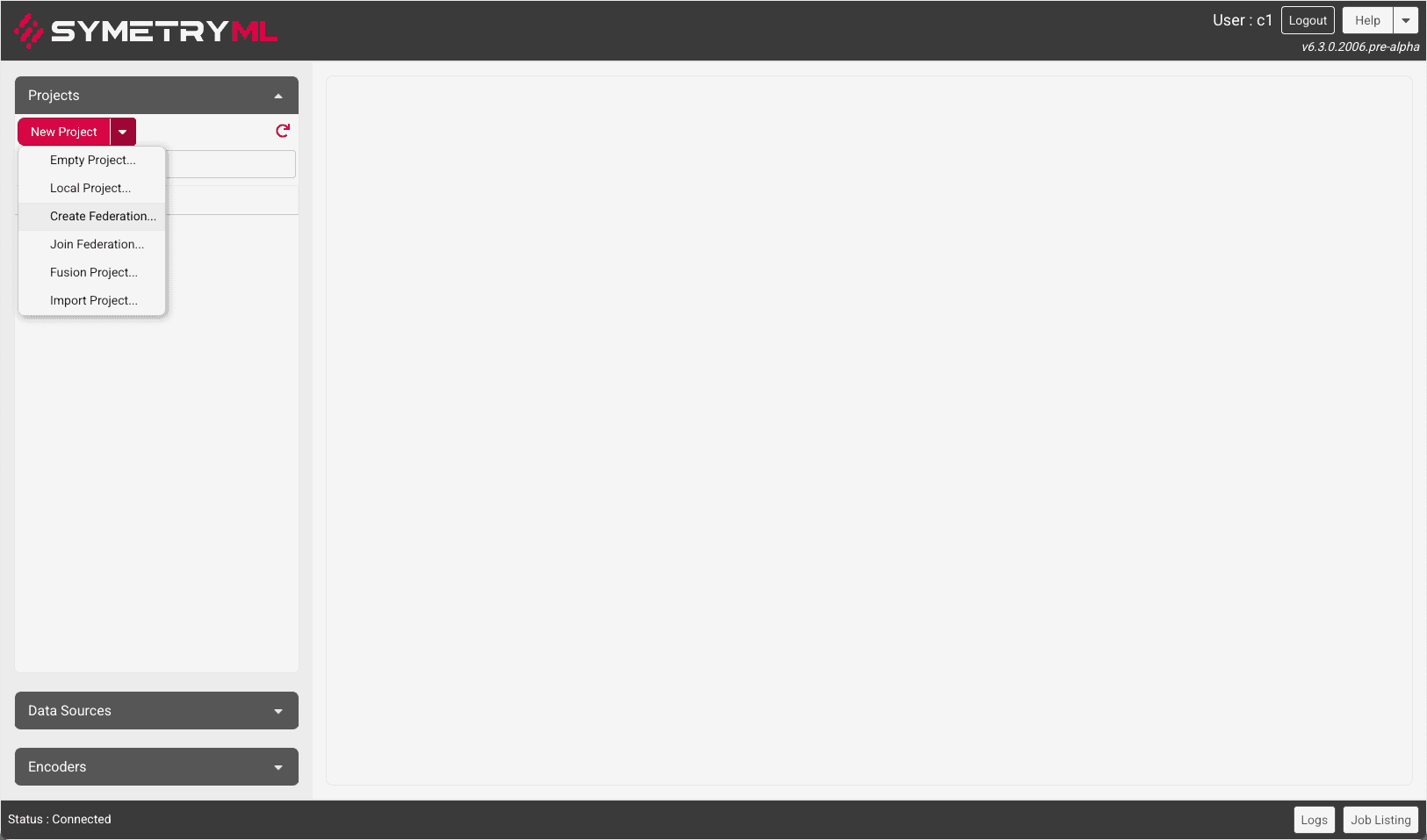
In this tutorial, we are going to focus on the latter two options which constitute the federated learning capabilities of SymetryML:
- Create Federation
- Join Federation
When you click on the Create Federation option, you are presented with the following consecutive windows:
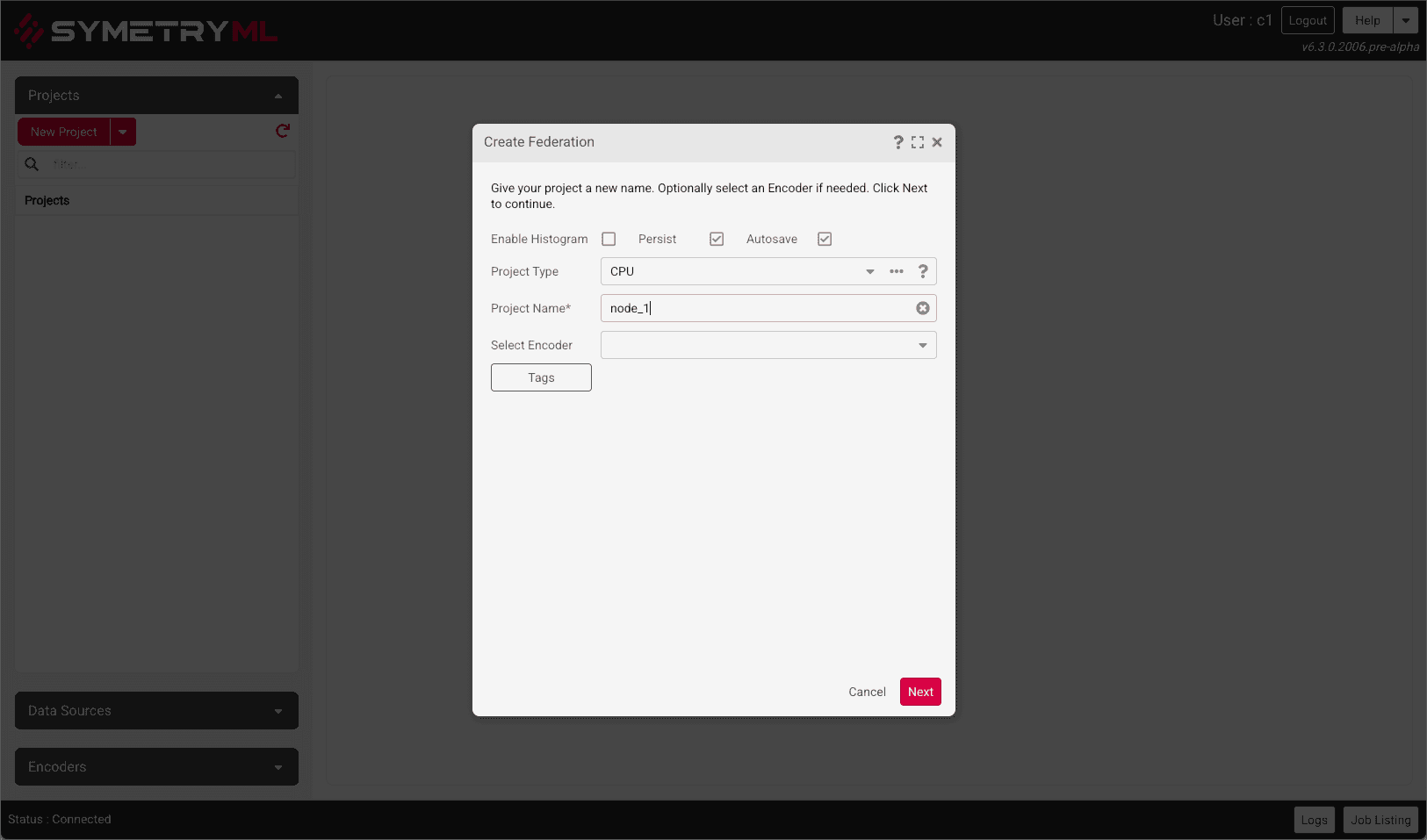
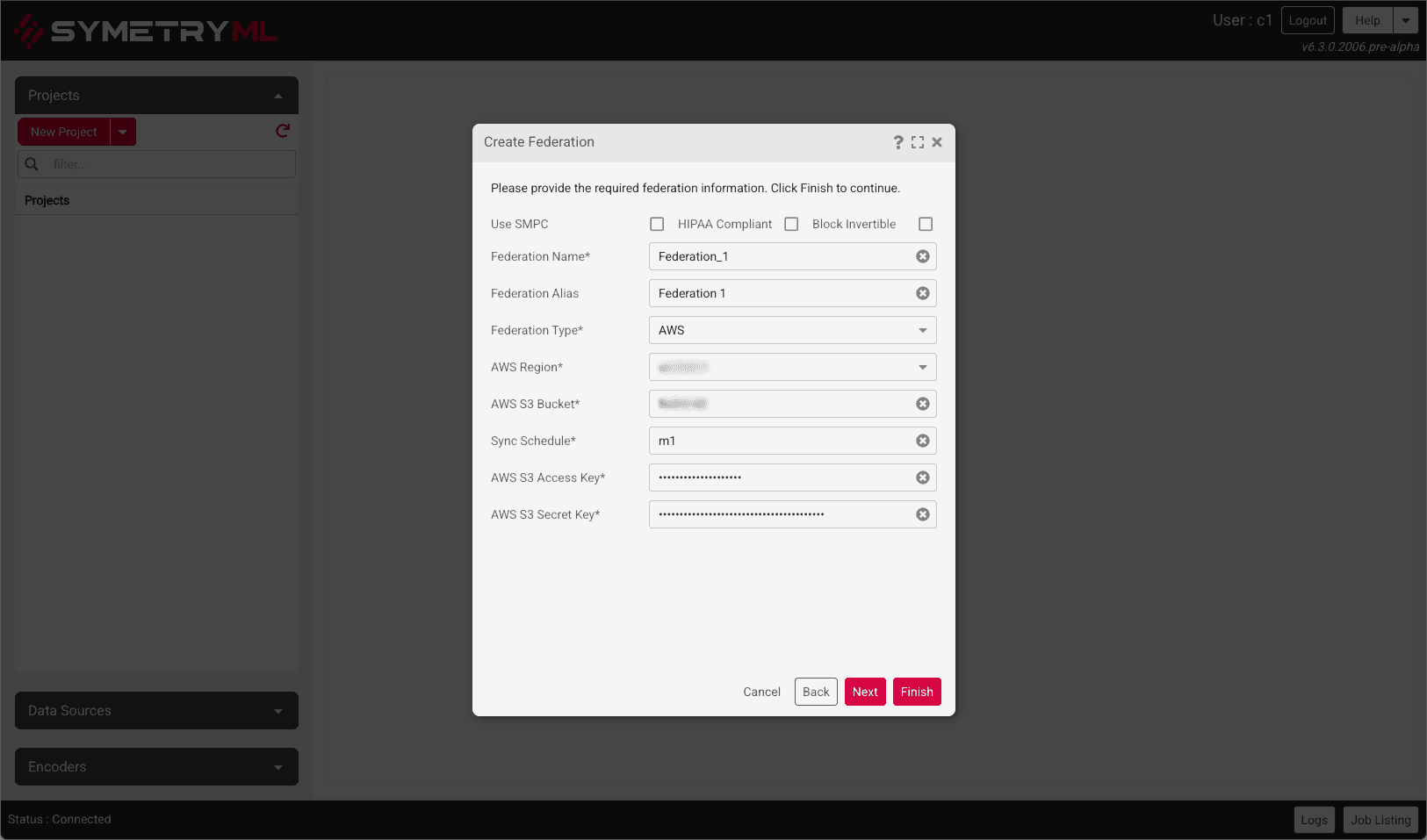
The following information needs to be supplied:
| Parameters Needed | Description |
|---|---|
| Project Name | This is the name of the local project. |
| Project Type | This applies to the local project, declare whether the local project is CPU, GPU, Partition, etc. |
| Project Encoder | Optional parameter specifying the encoder to be used. |
Click Next to choose the type of Federation backend.
AWS is the default choice for Federation Type. If you wish to use NATS proceed here
Creating AWS Federation
| Parameters Needed | Description |
|---|---|
| Federation Name | Name for your federation. |
| AWS Region | This is the region where S3 bucket will reside. |
| AWS S3 Bucket | This is the name of the S3 bucket where updates will be saved to. |
| Sync Schedule | The frequency at which your nodes will share their information. |
| AWS S3 Access Key | Enter AWS Access Key information here. |
| AWS S3 Secret Key | Enter AWS Secret Key information here. |
Once all the information above is satisfied, click Finish. Click here to continue to the next section, Load data to local project.
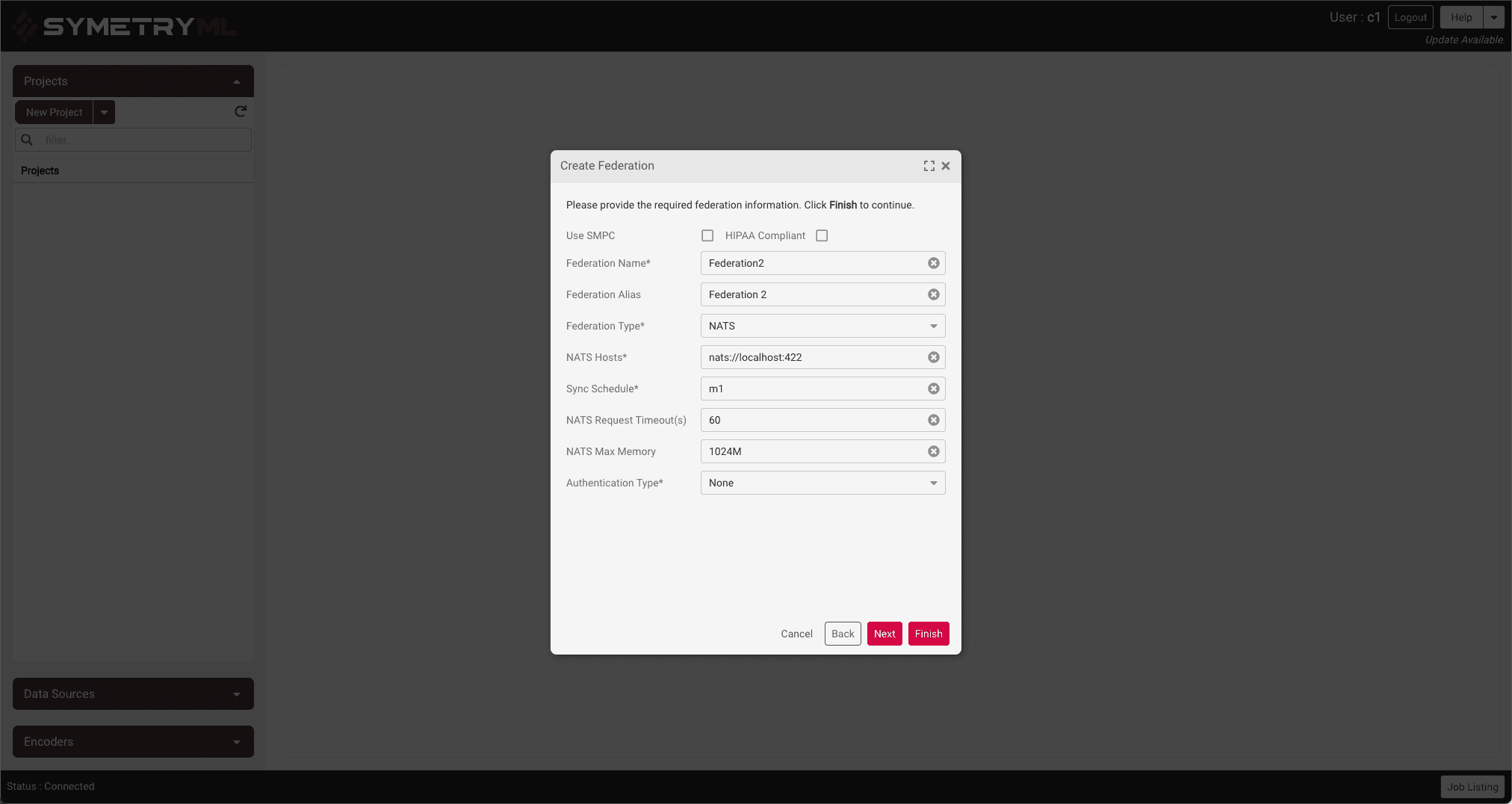
Creating NATS Federation
| Parameters Needed | Description |
|---|---|
| Federation Name | Name for your federation. |
| NATS Hosts | Location of the NATS server |
| Sync Schedule | The frequency at which your nodes will share their information. |
| NATS Request Timeout(s) | Timeout in seconds |
| NATS Max Memory | NATS maximum memory |
| Authentication Type | One of None, Password, Token |
| User Name | User name if Authentication Type is Password |
| Password | Password if Authentication Type is Password |
| Token | Token if Authentication Type is Token |
Once all the information above is satisfied, click Finish. Click here to continue to the next section, Load data to local project.
Federation Restrictions
| Parameters Needed | Description |
|---|---|
| HIPAA Compliant | Adhere to strict HIPAA Compliance. |
| SMPC | Enable SMPC |